Security is freedom from, or resilience against, potential harm
(or other unwanted coercive change) caused by others.
Beneficiaries (technically referents) of security may be of
persons and social groups, objects and institutions, ecosystems or
any other entity or phenomenon vulnerable to unwanted change.
Refugees fleeing war and insecurity in Iraq and Syria arrive at
Lesbos Island, supported by Spanish volunteers, 2015 Security
mostly refers to protection from hostile forces, but it has a wide
range of other senses: for example, as the absence of harm (e.g.
freedom from want); as the presence of an essential good (e.g.
food security); as resilience against potential damage or harm
(e.g. secure foundations); as secrecy (e.g. a secure telephone
line); as containment (e.g. a secure room or cell); and as a state
of mind (e.g. emotional security).
A cyber attack is a deliberate exploitation of your systems
and/or network. Cyber attacks use malicious code to compromise
your computer, logic or data and steal, leak or hold your data
hostage. Cyber attack prevention is essential for every business
and organisation.
Here are some examples of common cyber attacks and types of data
breaches:

Multi-factor authentication (MFA; encompassing Two-factor
authentication or 2FA, along with similar terms) is an
electronic authentication method in which a user is granted
access to a website or application only after successfully
presenting two or more pieces of evidence (or factors) to an
authentication mechanism: knowledge (something only the user
knows), possession (something only the user has), and
inherence (something only the user is).
MFA protects the user from an unknown person trying to access
their data such as personal ID details or financial assets.
One of the most common ways cyber criminals get access to your
data is through your employees. They’ll send fraudulent emails
impersonating someone in your organisation and will either ask
for personal details or for access to certain files. Links
often seem legitimate to an untrained eye and it’s easy to
fall into the trap. This is why employee awareness is vital
One of the most efficient ways to protect against
cyber attacks and all types of data breaches is to train your
employees on cyber attack prevention and inform them of
current cyber attacks.

Often cyber attacks happen because your systems or software
aren’t fully up to date, leaving weaknesses. Hackers exploit
these weaknesses so cybercriminals exploit these weaknesses to
gain access to your network. Once they are in – it’s often too
late to take preventative action.
To counteract this, it’s smart to invest in a patch management
system that will manage all software and system updates,
keeping your system resilient and up to date. Leaf offer patch
management as part of their managed security solution.
There are so many different types of sophisticated data
breaches and new ones surface every day and even make
comebacks. Putting your network behind a firewall is one of
the most effective ways to defend yourself from any cyber
attack.
A firewall system will block any brute force attacks made on
your network and/or systems before it can do any damage,
something we can help you with.
Believe it or not, one of the attacks that you can receive on
your systems can be physical, having control over who can
access your network is really really important. Somebody can
simply walk into your office or enterprise and plug in a USB
key containing infected files into one of your computers
allowing them access to your entire network or infect it.
It’s essential to control who has access to your computers.
Having a perimeter security system installed is a very good
way to stop cybercrime as much as break ins!
Who doesn’t have a wifi enabled device in 2020? And that’s
exactly the danger, any device can get infected by connecting
to a network, if this infected device then connects to your
business network your entire system is at serious risk.
Securing your wifi networks and hiding them is one of the
safest things you can do for you systems. With developing more
and more everyday there’s thousands of devices that can
connect to your network and compromise you.


Every employee needs their own login for every application and
program. Several users connecting under the same credentials
can put your business at risk.
Having separate logins for each staff member will help you
reduce the number of attack fronts. Users only log in once
each day and will only use their own set of logins. Greater
security isn’t the only benefit, you’ll also get improved
usability.
One of the risks as a business owner and having employees is
them installing software on business owned devices that could
compromise your systems.
Having managed admin rights and blocking your staff installing
or even accessing certain data on your network is beneficial
to your security. It’s your business, protect it!


Having the same password setup for everything can be
dangerous. Once a hacker figures out your password, they now
have access to everything in your system and any application
you use.
Having different passwords setup for every application you use
is a real benefit to your security, and changing them often
will maintain a high level of protection against external and
internal threats.
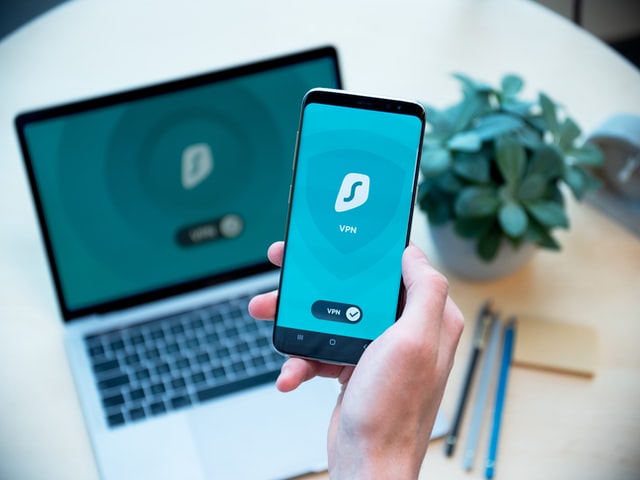
A virtual private network (VPN) extends a private network
across a public network and enables users to send and receive
data across shared or public networks as if their computing
devices were directly connected to the private network.
Applications running across a VPN may therefore benefit from
the functionality, security, and management of the private
network.
It provides access to resources that may be inaccessible on
the public network, and is typically used for telecommuting
workers. Encryption is a common, although not an inherent,
part of a VPN connection.

© Innovation Academy 2021, Inc. All rights reserved